
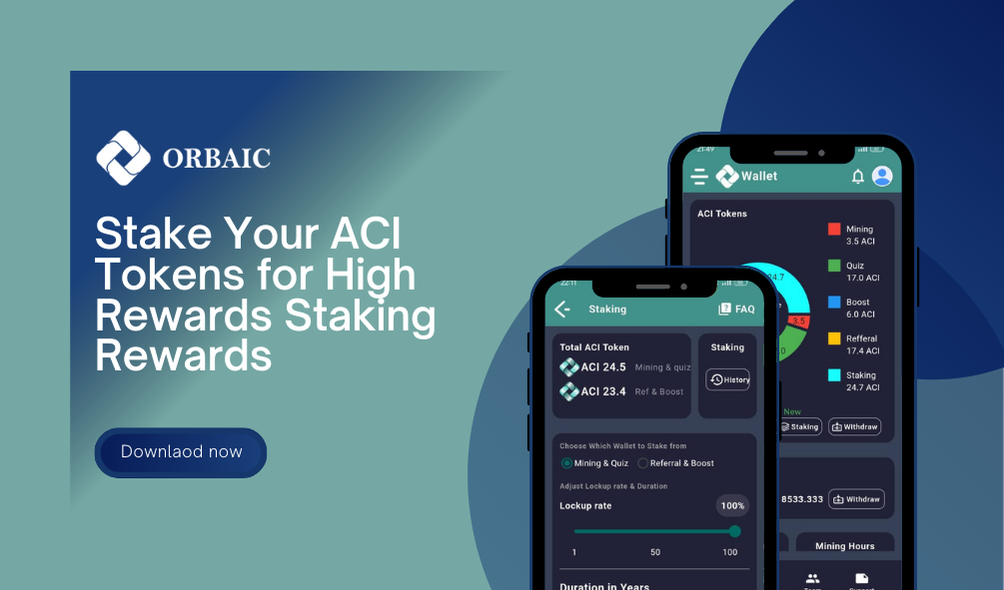
Need to know all,
1 Year: 130% (including principal) 2 Years: 150% (including principal) 3 Years: 180% (including principal) 4 Years: 200% (including principal) Steps to Stake Your ACI Tokens: Navigate to the Wallet Page:
Go to the Wallet page. Scroll to the bottom of the chat and find the Staking section. Click on the "Staking" button. Choose Your Wallet Balance:
Select the wallet balance you want to use for staking. Use the radio button to choose your balance (minimum stake is 5 ACI). Adjust Lockup Percentage:
Use the lockup sliding bar to adjust the percentage of your tokens you want to lock up. Select Lockup Duration:
Use the duration sliding bar to select the number of years you want to lock up your tokens. Review and Submit:
You will see a calculation showing how much you are locking up and your return percentage. Click the "Submit" button to finalize your staking. Viewing Your Staking History: History Button:
At the upper right corner of the page, click the "History" button to view your lockup history. History Details:
Total Lockup: Total Ratio: Total Return: Created Date: Release Date: Duration: Lockup From: Release Button:
Once the duration has expired, the release button will become available for you to release your staked tokens.